


Flutter delivery driver app: an architecture walkthrough


A Flutter delivery app has to keep working in the places delivery actually happens: a basement, a dead zone, the back of a van. The driver still needs to mark a stop delivered, log a return, and find the next address, whether or not there is signal. That requirement, more than any framework choice, is what shapes a delivery driver app, and it is where most of the engineering decisions live.
Building one well comes down to a few decisions: which operations work offline and which require a connection, how navigation happens, and whether one app can serve more than one brand without a separate build for each. Flutter makes the cross-platform build realistic, with one codebase for iOS and Android and thin native layers only where the platform demands them, but the decisions that matter are about offline behavior, navigation, and multi-brand support.
This is an architecture walkthrough for a CTO or lead mobile developer weighing a custom driver app over a licensed one. It covers partial offline support through a local database, deep-linking to Google Maps and Apple Maps instead of an embedded SDK, the clear line between online and offline operations, and the pattern worth the most attention: multi-brand support through runtime module selection. The examples come from a cross-platform driver app we built.
What a Flutter delivery app has to handle
A Flutter delivery app runs from a single codebase on both iOS and Android, which is most of why teams choose Flutter for this work: the driver workflow is identical across platforms, so maintaining two native apps would be wasted effort. On the build this article draws from, the native code in Kotlin and Swift exists only as a thin platform bootstrap, while the business logic lives in Dart. The app targets iOS from minimum SDK 11, tested with Xcode 16.4, and Android from minimum SDK 21 up to target SDK 36 — specifics worth stating because they define the device range a real fleet has to run on.
With the platform base settled, three decisions shape the app: which operations survive a lost connection, how navigation happens, and whether one app can serve more than one brand. The rest of this walkthrough takes each in turn, then puts them together as the driver’s workflow.
Partial offline: what keeps working without a connection
Partial offline is the practical target for a delivery app, because a driver loses signal constantly and the app still has to function. The operations a driver performs in the field are stored in a local database and synced when the connection returns, so the driver never waits on the network to do their job.
Flutter handles this through the sqflite SQLite plugin, which stores and queries structured data on the device. On the build here, delivery status and return items are written to local SQLite, so a driver in a dead zone can mark stops and log returns, and those records reconcile with the server once they are back online.
What matters as much as the storage is the line between what works offline and what does not. The offline-capable operations are the ones a driver does at the door:
- marking a stop delivered or not delivered
- logging returned items
- changing a delivery status
The online-only operations are the ones that genuinely need the server: login, route refresh, photo upload, route start and complete, and field exception reports. Drawing that line on purpose, rather than trying to make everything offline-capable, keeps the app reliable without the cost of full offline sync. On a marketplace we built, that split is explicit in the code, so it is always clear which action needs a connection and which does not.
Multi-brand through runtime module selection
The decision that sets this app apart from most Flutter content is how it supports multiple brands: it selects the brand at runtime rather than at build time. The login response carries a module value, and that value decides which brand’s backend the app’s requests go to — the firewood marketplace for one brand, a separate garden-products brand for another. One installed app serves both, and adding a brand does not mean a new build.
The common alternative is Flutter’s build flavors, which bake brand differences in at compile time and produce a separate build per brand. Flavors fit when brands differ at build time and a separate app per brand is acceptable. Here the requirement is different: one installed app that switches brand based on who logs in, which is what runtime module selection provides.
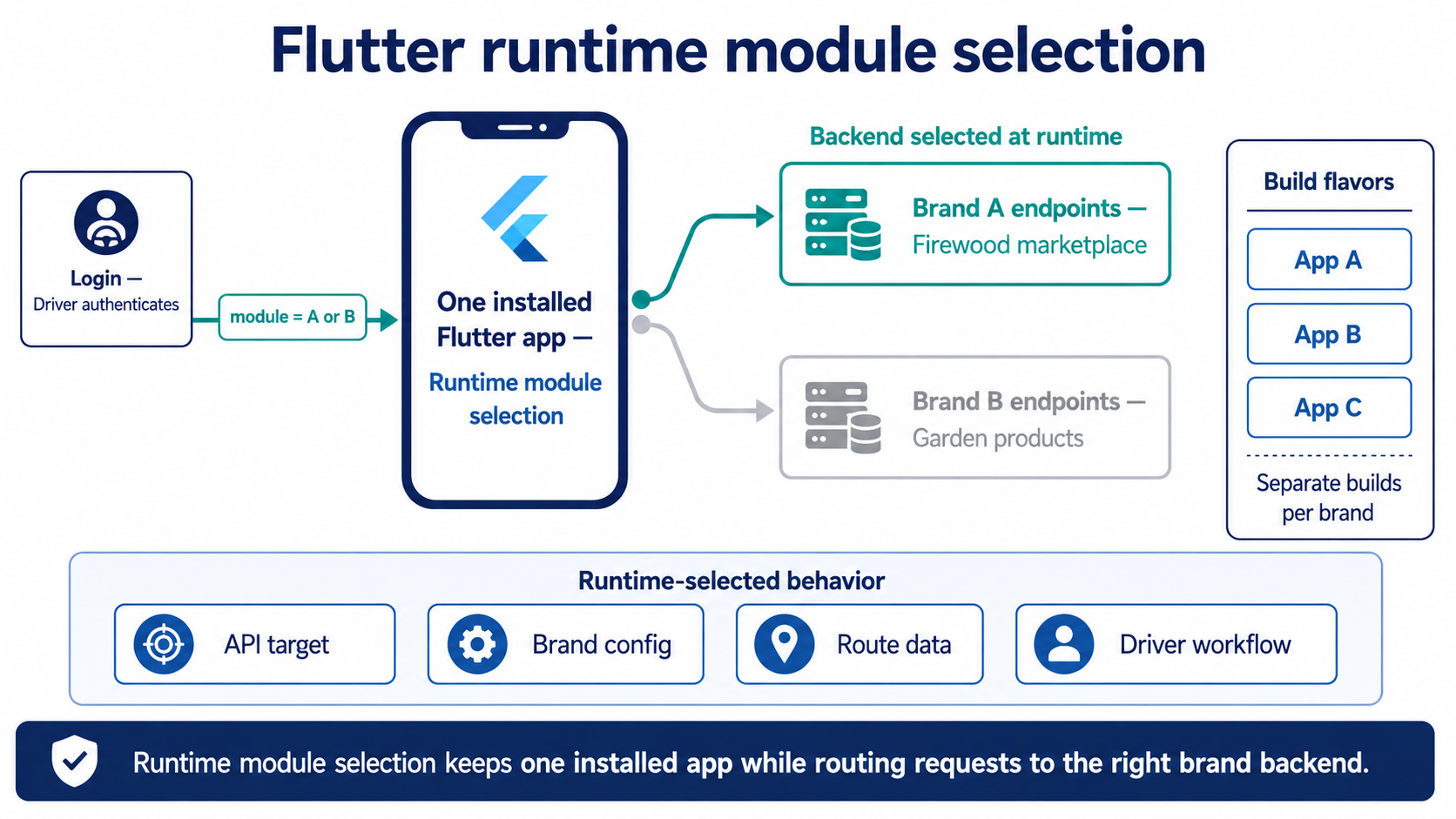
Runtime module selection lets one installed Flutter delivery app serve multiple brands by choosing the backend endpoints after login.
This is the mobile half of a broader pattern. The same runtime-versus-build-time choice plays out on the web, and a companion piece on white-label app development covers how the two compare across platforms.
The driver workflow, end to end
The pieces come together as a single workflow the driver moves through on every shift, starting at login and ending with the route closed out and the data submitted. After logging in, the driver sees their routes sorted into status buckets — planned, in progress, and complete. They open a planned route and start it, which moves it into the active state.
From there the app shows the stops in sequence. At each stop, the driver hands off to external navigation to get there, then marks the stop delivered or not delivered and attaches a proof photo. When every stop is handled, they complete the route, and the app submits the final order statuses and any returns back to the server. Each step maps cleanly onto the online and offline split from earlier: navigation and status changes work in the field, while the final submission and photo upload wait for a connection.
Whether to build this kind of app at all is a separate question, and our piece on building a supplier mobile app for a marketplace covers when a dedicated mobile app earns its place over a web dashboard.
When to build a custom driver app instead of licensing one
A custom driver app is worth building when the workflow is specific enough that a generic, licensed app gets in the way. Plenty of delivery businesses run fine on a SaaS driver app, and for a standard workflow that is the cheaper path. The case for building your own shows up when the details matter:
- your route logic, stop sequencing, or proof-of-delivery rules differ from what a SaaS offers
- you need multiple brands served from one app, decided at runtime
- your offline requirements go beyond what a licensed app supports
- the driver experience is a way the business differentiates rather than a commodity feature
If none of those apply, licensing one and moving on is the sensible call. If several do, a custom app pays back its build cost in a workflow that fits the business, instead of one the business has to bend around. The Flutter approach keeps that build affordable, since one codebase covers both platforms and the field workflow is the same on each.
Key takeaways
- A Flutter delivery app runs one codebase on iOS and Android, with native Kotlin and Swift kept to a thin bootstrap layer.
- Partial offline is the practical target: store field operations like marking deliveries and logging returns in local SQLite, and keep login, refresh, and uploads online.
- Deep-link to Google Maps or Apple Maps for navigation instead of embedding a maps SDK, to avoid the maintenance burden and give drivers an app they trust.
- Support multiple brands through runtime module selection, where the login response decides which backend the one installed app talks to, instead of a separate build per brand.
- Build a custom driver app when route logic, proof rules, multi-brand needs, or offline behavior make a licensed SaaS fight the workflow.
Why the offline and multi-brand decisions define the build
A Flutter delivery app succeeds or fails on a few decisions made early. The framework gives you one codebase for both platforms, but the work that matters is choosing which operations survive a lost signal, handing navigation to the maps app the driver already trusts, and deciding the brand at runtime so one app can serve several. Get those right and the field workflow, from login to route completion, runs reliably in the basements and dead zones where delivery actually happens. A team that designs the offline line and the multi-brand approach before writing screens will ship a driver app that holds up in the field, rather than one that works only where there is signal.
If you are planning a driver, courier, or field-operations app and want the architecture decided before the first screen, a short technical review will save a rebuild. Discuss your driver app build.
Summarize with AI
 ChatGPT
 Claude
 Gemini
 Grok
Grok Perplexity
FAQ











Interesting For You


Preorder ecommerce: building deferred-payment order flows
This is an engineering walkthrough for teams building a preorder flow for a seasonal product, written for the CTO or product lead who has already decided they need it and wants the implementation depth. It covers the two payment models and the scheduler they depend on, supplier-specific availability dates, the cart rules that keep conflicting future-date items apart, and the timing of inventory commitment. The examples come from a marketplace we built that shipped preorders with deliberate limitations and expanded from there.
Read article

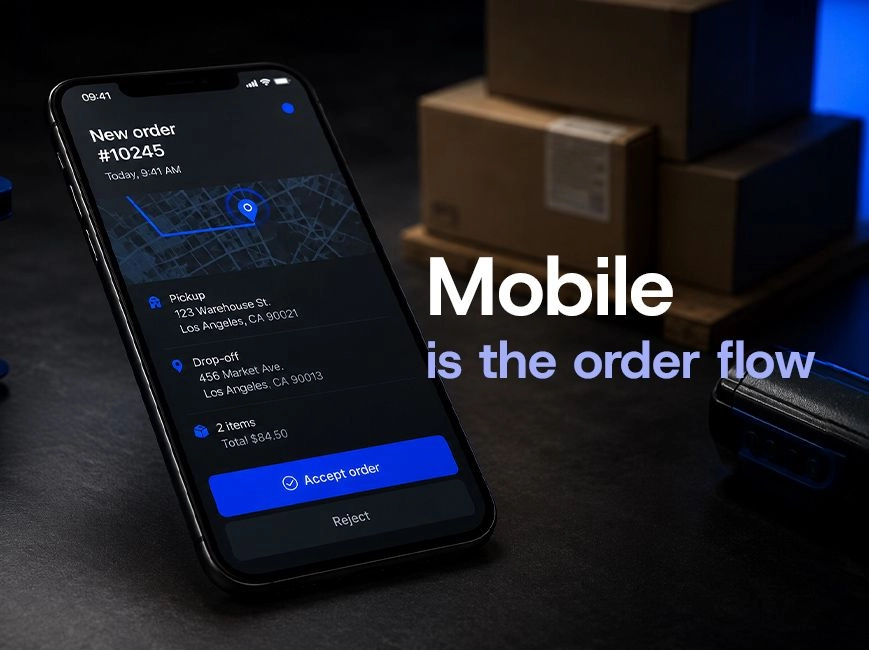
Supplier mobile app for marketplaces: a decision guide
For marketplace teams with a functioning supplier dashboard, the next decision is whether to extend it with a mobile experience and what shape that mobile product should take. The reader of this piece already has operational evidence on where vendors fall out of the flow. The question is whether a supplier mobile app for marketplaces is worth the engineering investment, and which architectural decisions matter most if the answer is yes.
Read article

Group buying architecture for delivery marketplaces
The interesting part of group buying lives in the order logic underneath the discount. This article covers how the model works in delivery commerce, the radius and discount-tier choices that shape it, and the failure mode that breaks real implementations — open-ended groups that accept members after delivery has been planned. The examples come from a marketplace we built that added group ordering and then had to fix exactly that.
Read article