


Adding an AI feature to a live product without a rewrite


Leadership approves an AI feature on Monday. By Wednesday the engineering estimate comes back as a multi-week re-architecture, and the work quietly returns to the backlog. The blocker is rarely the model. More often it is an assumption: that to add an AI feature you first have to rebuild the product that will hold it.
That assumption deserves a hard look before anyone scopes a rewrite. A live application already carries the data, authentication, and request flow an AI feature depends on. The real question is where a model call attaches, and how to keep it from destabilizing the parts that work today.
You can add an AI feature to a live product without rebuilding it. Attach the model call at a service or API boundary, ship it behind a feature flag you can switch off instantly, and wrap it in a fallback so a failure degrades to current behavior. Put evaluation in place before launch, so quality is measured rather than assumed.
The pattern below is how experienced engineers move an AI feature from demo into production. It also marks where that path tends to break.
Why adding AI stalls between demo and production
Most AI features stall not at the model, but at the step where a demo has to become something production traffic can rely on. Adoption keeps climbing: according to McKinsey's 2025 State of AI, 88 percent of organizations report using AI in at least one business function, up from 78 percent a year earlier, while nearly two-thirds say they have not begun scaling it across the enterprise, per The state of AI. The distance between a promising demo and a dependable feature is where budgets get spent twice.
A demo earns its applause by skipping things production cannot skip. It runs on a developer's credentials, reads a hand-picked sample, and shows the happy path. Moving it into the product surfaces everything the demo avoided: real authentication, access controls on the data, error handling, latency under load, and a cost that now scales with usage. Faced with that list, teams often conclude the whole app needs reworking, when the harder truth is narrower.
The narrower truth is that most of this work is integration, not reinvention. For teams building on top of an existing stack, an AI feature sits inside ordinary AI software development rather than a greenfield rebuild. The sections that follow take the four decisions that carry a feature across that gap: where it attaches, how it rolls out, how it fails, and how you know it works.
Where an AI feature attaches without touching your core
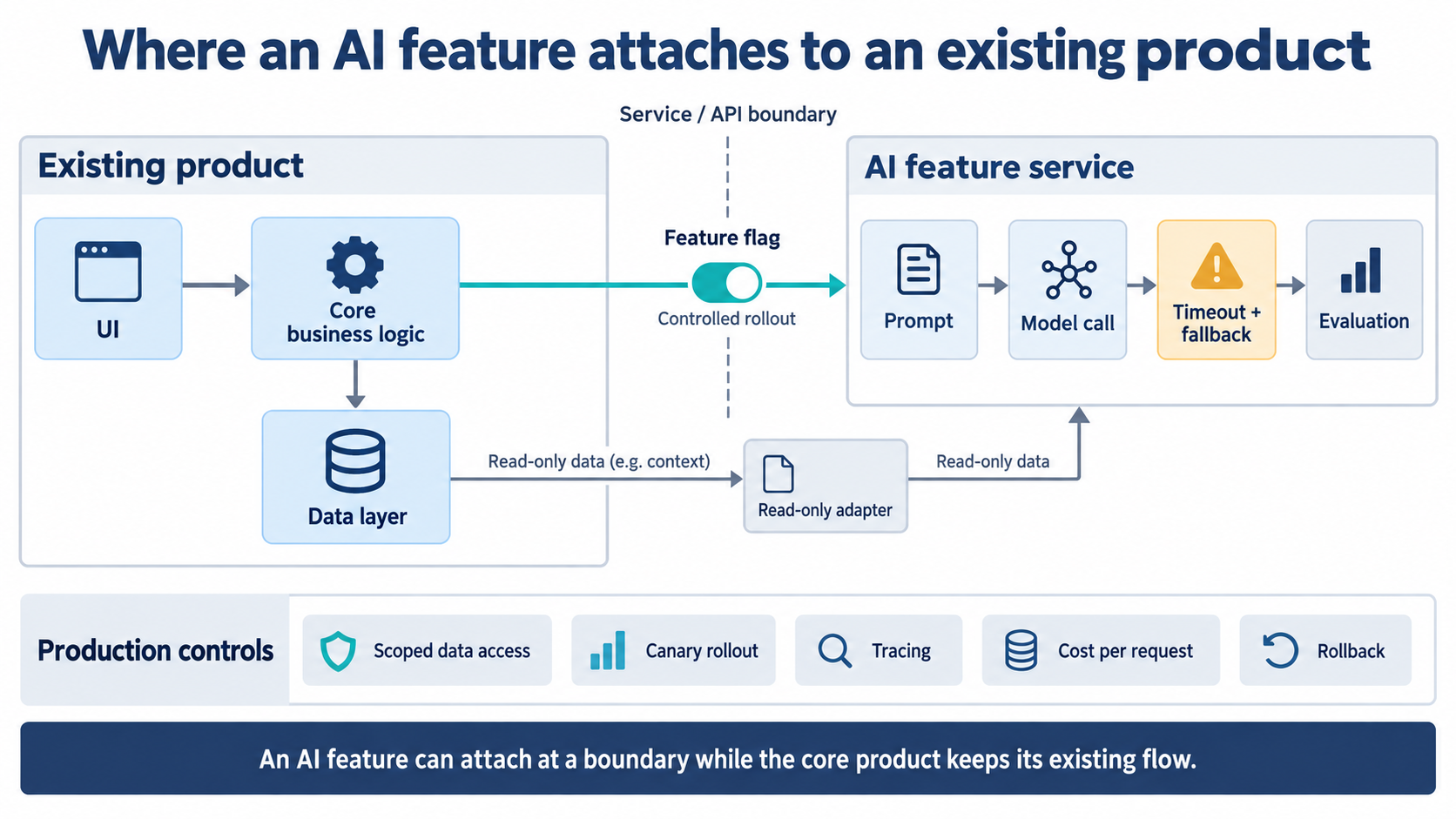
An AI feature attaches best at a service or API boundary, where it can call out, receive a result, and return it, while your core business logic stays where it is. The application talks to the model through an internal endpoint, the same way it already talks to a payment service or a search index. That one decision keeps the model, its prompt, its timeout, and its fallback in a single place you can change without editing the rest of the product.
Read path and write path are not the same risk
For read-style features — summarizing a record, classifying a ticket, answering from existing content — a thin, read-only adapter over your current data layer is usually enough. The feature sees only what it needs, and a mistake produces a bad suggestion rather than a bad transaction. Write-style features, where the model can send an email or change a record, carry more risk and need explicit guardrails: an allowed-action list and human approval on anything irreversible. A companion article on agent guardrails and blast-radius limits covers that case in depth.
Keeping the call at the boundary also makes the provider a detail rather than a dependency baked through the codebase. Whether the request goes to the OpenAI API, Azure AI Foundry, or a local model, the surrounding app does not change. This is the shape our engineers use when they add LLM feature integration to systems that were never designed with AI in mind.
Ship it behind a feature flag
A feature flag lets you expose the AI feature to a chosen slice of users and turn it off instantly, without shipping new code. You release to five percent of traffic, watch how the feature behaves on real input, and widen the cohort as confidence grows. If something goes wrong, the flag is a switch rather than a rollback. Pete Hodgson's write-up of Feature Toggles describes exactly this: routing decisions made per request, and cohorts of users who consistently see a feature on or off.
The trade-off is flag debt. A toggle that stays in the code long after the feature is stable becomes its own maintenance burden and a source of confusion about what is actually live. Treat launch flags as temporary: once the feature has earned full rollout, remove the flag and the dead branch behind it. The discipline is small, and it keeps the rollout mechanism from turning into technical debt of its own.
Weighing an AI feature against the cost of a rebuild? Discuss your AI feature integration with engineers who have shipped LLM features into live products. A short architecture review usually pins down where the model call belongs, often without new infrastructure.
Design for the model failing
Assume the model call will sometimes be slow, wrong, or unavailable, and design so those cases degrade to current behavior instead of an error. A feature that fails loudly on real traffic loses trust faster than one that was never shipped. The failure modes are predictable enough to plan for:
- The provider times out or rate-limits under peak load.
- The model returns malformed output that does not match the format the app expects.
- Latency climbs as usage grows, dragging the whole request with it.
- The answer comes back confidently wrong.
Two mechanisms cover most of this. A timeout with a fallback path means a slow or failed call drops back to the pre-AI behavior, so the user sees the old experience rather than a spinner or a stack trace. A circuit breaker stops the app from hammering a provider that is already failing and can return a safe default while the provider recovers; Microsoft's Circuit Breaker pattern documents the states and the default-value behavior. Behind both, tracing on every model call shows where a run went wrong, which is the difference between a five-minute fix and an afternoon of guessing.
Observability here follows the same logic as any distributed system, where a request crosses services that can each fail on their own terms; our write-up on failure models and monitoring for distributed systems applies directly. Automations built on tools like n8n add their own silent-failure risk, where a broken step drops work without raising a flag — a separate article in this series covers that pattern.
Know whether it works before you launch
Put evaluation in place before launch, so a prompt or model change is measured against real cases instead of judged by feel. The core artifact is a golden dataset: a fixed set of real inputs paired with the outputs you expect. You run the feature against that set, score the results, and re-run it every time you touch the prompt or swap the model. OpenAI's guide to Evals frames the mechanism plainly: evals test model outputs against criteria you specify.
This is not optional polish. Microsoft's guidance on testing generative AI applications treats evaluation against a golden dataset as a step to complete before production, then extended into live monitoring with alerting when tests fail. The part teams skip and later regret is the up-front cost of building that input set; it takes a day or two, and it is the only thing standing between "it seemed better" and a regression that ships silently to every user.
What changes after launch: latency and cost
Once real usage arrives, cost and latency move with volume, so track cost per request from the first release rather than after the monthly bill grows. The integration effort is often modest because the surrounding system already exists; the ongoing spend comes from model usage, and it compounds quietly. The gap between a quick demo and a feature production traffic can rely on comes down to a handful of concrete differences:
Practical cost control starts before the model call: cache repeated requests, right-size the model to each task so extraction and classification do not run on the most expensive tier, and keep prompts lean. A dedicated article in this series works through LLM cost optimization in detail.
Key takeaways
- An AI feature usually attaches to an existing product at a service or API boundary, and the core application logic does not need to change.
- A feature flag exposes the feature to a small cohort and disables it instantly, with no redeployment.
- A timeout plus a fallback path keeps a slow or failed model call from reaching users as an error.
- Evaluation on a fixed set of real inputs turns "it seems better" into a measurable check you can re-run on every prompt or model change.
- Cost and latency scale with usage, so track cost per request from the first release rather than after the bill grows.
What shipping AI into a live product actually takes
The teams that get an AI feature live fastest treat it as an attachment to a working system, not a reason to rebuild one. The model call sits at a boundary, a flag controls who sees it, a fallback covers the moments it fails, and an evaluation set says whether it is good enough to widen. None of that requires new architecture; it requires deciding these four things on purpose instead of discovering them in production.
Scoped that way, most AI features are a few weeks of focused work on top of what already runs, not a quarter-long rewrite. If that is the position you want on your next release, a dedicated engineering team can own the integration, rollout, and evaluation work alongside your own engineers, and hand it back running.
Summarize with AI
 ChatGPT
 Claude
 Gemini
 Grok
Grok Perplexity
FAQ











Interesting For You


AI document ingestion in EdTech: what breaks first
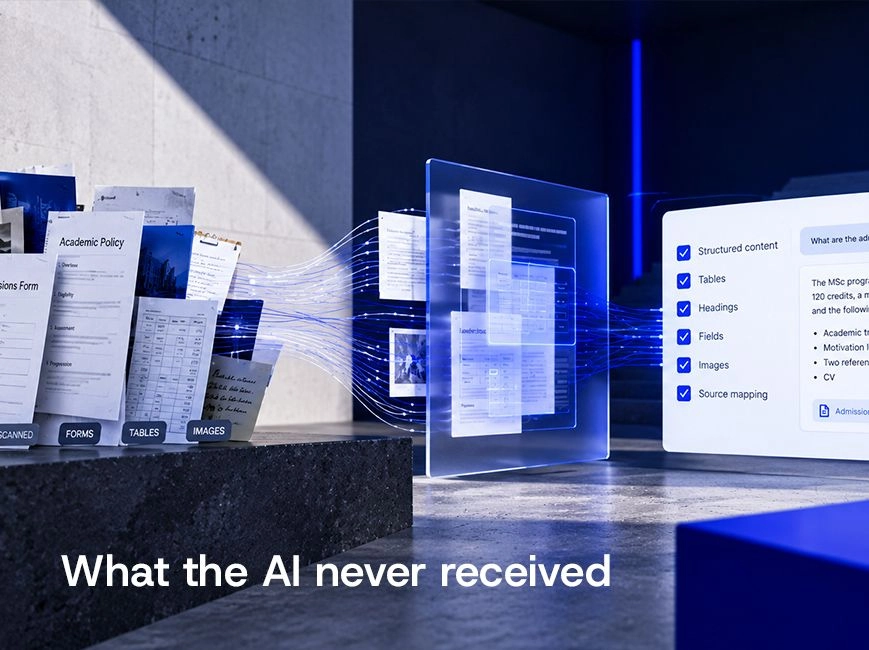
Education software receives institutional policies, faculty handbooks, admissions records, support knowledge, assessment material, administrative forms, and user-uploaded files. The key engineering questions are where structure can be lost, which failures should stop processing, and which checks belong in deterministic code before an LLM is called. Those decisions determine whether the feature remains debuggable when clean demo files give way to real inputs.
Read article



Why Agentic AI in the Enterprise Depends on the Integration Layer
Most enterprise AI projects do not fail because the models are inadequate. They fail because the data feeding those models is inconsistent, delayed, or simply unreachable. According to a 2025 analysis, why AI agent pilots fail in production comes down to one recurring problem: the absence of a structured integration layer between AI systems and enterprise data. This article is for CTOs and VPs of Engineering who are evaluating how to introduce AI agents into existing enterprise infrastructure. It addresses what integration architecture those agents actually require to work reliably — and where Boomi fits into that picture. The short answer: agentic AI needs a stable, governed integration layer to access enterprise data, trigger downstream processes, and log every action taken. Without that layer, agents either operate on incomplete information or become impossible to audit and explain.
Read article


Flutter delivery driver app: an architecture walkthrough
This is an architecture walkthrough for a CTO or lead mobile developer weighing a custom driver app over a licensed one. It covers partial offline support through a local database, deep-linking to Google Maps and Apple Maps instead of an embedded SDK, the clear line between online and offline operations, and the pattern worth the most attention: multi-brand support through runtime module selection. The examples come from a cross-platform driver app we built.
Read article