


MCP integration: connecting AI to the data it needs


Ask a new support assistant where a customer's order is, and it will explain how order tracking generally works — without ever telling you where that order is. It can't see the order. The model knows its training data and whatever sits in the prompt, and your order database is neither, so it fills the gap with something plausible. MCP integration exists to close exactly that gap: it gives the model a sanctioned way to reach the systems that actually hold the answer.
The Model Context Protocol (MCP) is an open standard that lets an AI model call your systems at runtime through small programs called servers, each exposing a defined set of tools it can run and resources it can read. Instead of a custom build for every tool-and-model pairing, you implement one protocol. The hard part is not the wiring — it is deciding what the model may read, what it may change, and keeping that scope tight enough to trust in production.
What follows explains what MCP standardizes, how tools and resources differ, how to design scoped access with approval gates, and where these integrations tend to break once real traffic and real permissions are involved.
Why AI assistants give generic answers
An AI assistant answers in generalities when it has no way to see your systems. The model works from its training data and the text in the current prompt, and nothing else; your live orders, tickets, CRM records, and internal documents are invisible to it. Asked a specific question, it produces a confident, plausible, generic reply because that is the only material it has.
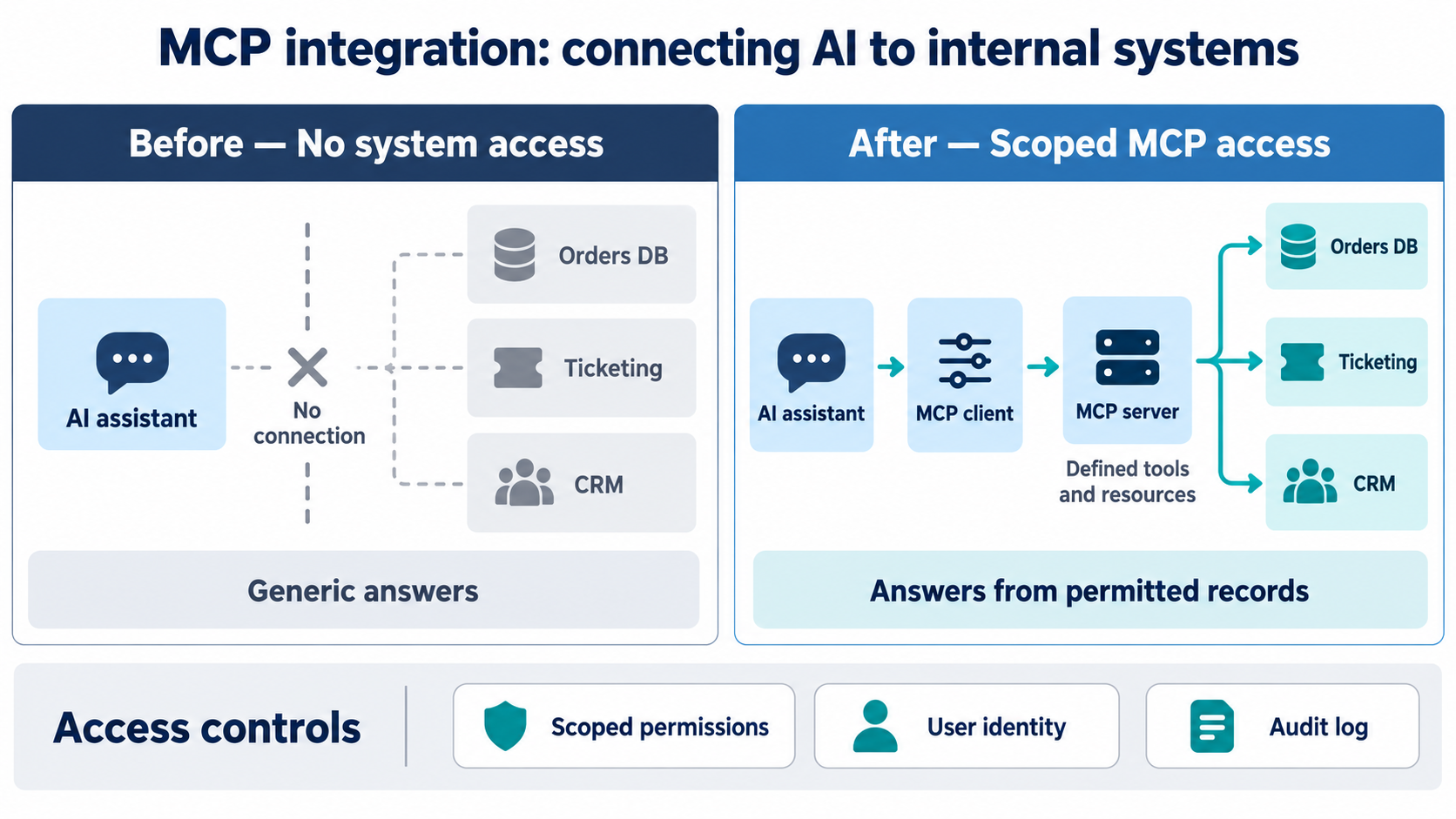
This is an access problem, not a model-quality problem — a sharper model with the same blind spot still guesses. Before MCP, closing the gap meant a bespoke integration for each tool and each model, which is why teams adding an AI feature to a live product so often stalled at the connection layer. Anthropic introduced MCP in November 2024 as an open standard for connecting assistants to the systems where data lives, precisely to replace that one-off work. The payoff shows up fastest in customer-facing e-commerce assistants and support bots, where a generic answer about "how returns work" is useless next to the status of this customer's actual return.
What the Model Context Protocol actually standardizes
MCP defines a client-server protocol: a host application holds the model and an MCP client, and each external system is wrapped in an MCP server that advertises what it can do. Microsoft's description of the architecture is a useful reference point — servers provide data resources, tools for performing actions, and prompts, and the same server works with any compliant client, including GitHub Copilot agent mode and the OpenAI Agents SDK. One protocol replaces the matrix of custom integrations.
Tools, resources, and prompts
A server exposes three kinds of capability, and the distinction matters for both design and risk. Tools are actions the model can call and can change state — create a ticket, run a query, post a message. Resources are read-only data the model can fetch by identifier, such as an order record, a document, or a database schema. Prompts are reusable templates that package a known task. The model proposes which tool to call; your server decides whether, and how, it runs.
Laid out side by side, the three primitives separate cleanly:
The hard part is access design, not the protocol
Standing up an MCP server is a day's work; deciding what it may touch is the real engineering. Every server is a new path into a production system, so each one should follow least privilege — grant the minimum access needed for the task and nothing more. In practice that means answering a short list of questions for each system before any tool is exposed:
- Read or write? Most assistant features need to read data far more than change it — expose read-only resources first and add tools deliberately.
- Which records? A support assistant usually needs the current user's orders, not the whole orders table; scope queries to the relevant subset.
- Whose identity? The server should act with the end user's permissions, not a shared super-account that can see everything.
- What's logged? Every tool call that reads or changes data should leave an audit trail you can review later.
Get this wrong and the failure is quiet. An over-broad server that returns any customer's record on request will pass every demo and only surface as a problem when someone asks it for data they shouldn't have. Scope is easier to widen later than to claw back, so start narrow.
Designing that access well — read versus write, per-user identity, audit, and the server boundaries between systems — is where most of the effort and most of the risk sit. Our engineers have built MCP tool integrations on live systems, and the access model took more care than the protocol ever did. Work through it with engineers who design scoped MCP access.
Put approval gates on anything that writes or spends
Any tool that changes state or costs money should pause for human confirmation before it runs. Reading an order is low-risk; issuing a refund, cancelling a subscription, or emailing a customer is not, and the model can be wrong or be manipulated into calling the wrong tool. An approval gate — a confirmation step the user or an operator must clear — turns an irreversible mistake into a caught one.
Draw the line by reversibility rather than by how useful the action feels. Reversible, low-stakes actions can run automatically; irreversible or costly ones wait for a human. This is the same discipline that keeps autonomous agents safe, covered in depth in a companion article on agent guardrails and blast-radius limits, and it applies the moment you expose a single write tool, not only to full agents.
Where MCP integrations break in production
Most MCP failures are about identity and access, not the protocol itself. The MCP security best practices call out two patterns explicitly: token passthrough, where a server forwards a client's token to a downstream API without checking it was issued for that server, is forbidden; and the confused-deputy problem, where a server with broad standing access is tricked into acting for the wrong client. Validate token audience on every request, and give each server its own scoped credentials.
Two more failure modes come from the model side. Prompt injection is the sharp one: because the model reads tool descriptions and returned data as text, a malicious document or a poisoned field can carry instructions that try to trigger a tool. Treat tool descriptions and returned content as untrusted input, keep the dangerous tools behind approval gates, and never let a resource's contents silently authorize an action. The second is mundane but common — too many tool calls.
An assistant that makes a dozen round-trips per question is slow and expensive, so keep the exposed tool set small and purpose-built rather than wrapping every API endpoint you own.
MCP, RAG, and plugins: when to use which
MCP is not a replacement for retrieval; the two solve different problems and often run together. Retrieval-augmented generation pulls relevant text into the prompt before the model answers, which suits retrieval-based question answering over documents and knowledge bases. MCP lets the model call systems at runtime to read a live record or take an action, which suits assistants that need current state or need to do something. A support bot might use retrieval for policy questions and MCP tools to look up and update the actual ticket.
Plugins and bespoke function-calling integrations do similar work, but each is tied to one platform or one model. The value of MCP is that the same server works across compliant clients, so an integration you build once is not stranded when you change model or add a second AI product. For connecting AI development tools to a codebase and internal docs, the same protocol applies in a developer-tooling context, covered separately.
Key takeaways
- An AI assistant gives generic answers when it can't reach your systems; the fix is connecting it to live data, not switching to a better model.
- MCP is an open standard that lets a model call your systems through servers exposing tools (actions) and resources (data), replacing a custom integration per tool.
- The protocol is the easy part; access design — what the model may read, what it may change, scoped to least privilege per server — is the real work.
- Any tool that writes or spends belongs behind an approval gate, drawn by reversibility rather than convenience.
- In production, MCP's main risks are identity and access: token passthrough, confused-deputy access, and prompt injection through tool descriptions and returned data.
What a trustworthy MCP integration actually requires
Connecting an AI assistant to your systems is what turns generic answers into specific, useful ones, and MCP makes that connection a single standard instead of a pile of one-off integrations. The protocol is the straightforward half.
The work that decides whether you can trust the result is access design: read before write, scope each server to the records and identity it genuinely needs, audit every call, and gate anything irreversible. Done in that order, MCP gives an assistant real reach without handing it the keys to everything.
If your AI tools sound capable but can't reach the data that would make them useful, the next step is scoping which systems to expose and how tightly - scope your MCP integration with our team.
Summarize with AI
 ChatGPT
 Claude
 Gemini
 Grok
Grok Perplexity
FAQ











Interesting For You



LLM cost optimization: controlling tokens and model choice
What follows maps where the cost accumulates, which controls reduce it without hurting answer quality, how to choose between caching, routing, and batching, and the instrumentation you need before changing anything in production.
Read article

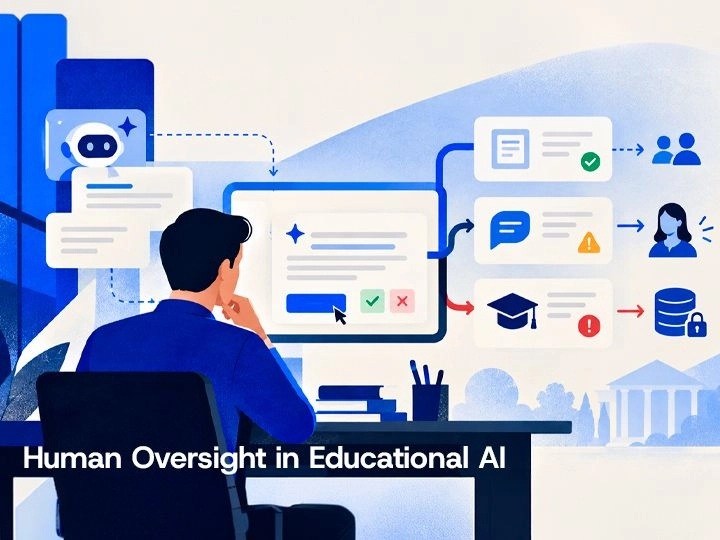
Human-in-the-loop AI in EdTech: where review belongs
The engineering question is therefore where human judgement enters the state machine and what authority that person actually has. A credible design defines review states, reviewer permissions, audit events, exception handling, and queue behavior before production traffic arrives. That lets an EdTech team protect higher-risk decisions without turning every suggestion, classification, or draft into a manual bottleneck.
Read article

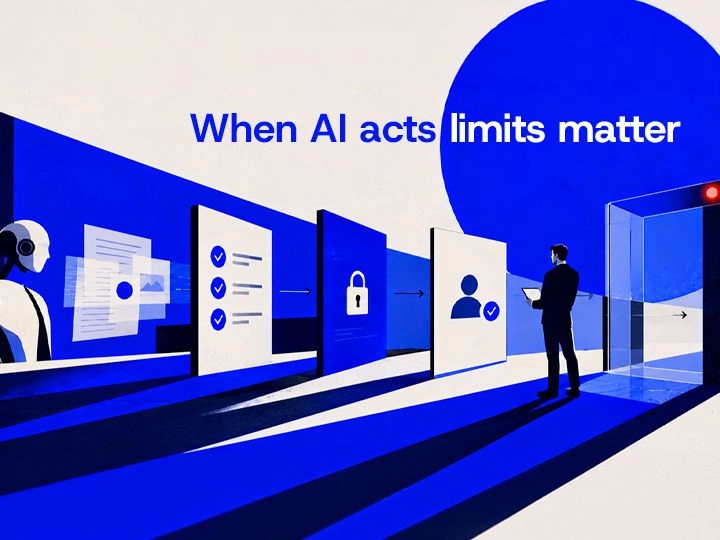
When an AI agent does something it shouldn't: approval gates and blast-radius limits
You can give an agent real authority without betting the business on its judgment. Grant it the minimum tools and access its job needs, require a human to approve anything irreversible, and cap what any single action can touch. Log every action with its reason, so a mistake stays visible and undoable.
Read article